gws-slides-cli: What I Built and How I Built It
Why I built gws-slides-cli Link zu Überschrift
I wanted a workflow that lets me work with Google Slides not only manually, but also in an agentic and reproducible way. The goal was a CLI that sits on top of gws but is more robust and ergonomic for real deck production work.
The priorities were clear:
- repeatable slide operations instead of one-off snippets,
- agent-friendly JSON output,
- and a clean development loop with
uv,python3, and explicit guardrails.
What I actually built Link zu Überschrift
gws-slides-cli is structured as a single Python package (src/gws_slides_cli/) with centrally registered Click commands.
Over time, it evolved from a basic read/write wrapper into a complete deck workflow:
- Deck and slide basics:
get,slide-map,slide-summary,find-text,update,replace-text,delete-object,insert-image,slide-image - Analysis workflows:
slide-brief,deck-brief,deck-refactor-plan,find-thin-slides,find-overloaded-slides,check-checklist - Style workflows:
style init,style apply,style verify - Project defaults:
project init/show/refresh-style/clearvia.gws-slides/project.json - Asset pipeline: local assets and prompt history under
.gws-slides/assets - Image workflows:
generate-image,edit-image,generate-icons,generate-variants, plus SerpApi-based image search
In short: I turned isolated API calls into a consistent end-to-end workflow for deck production.
How I built it Link zu Überschrift
1) Stable CLI foundation before feature speed Link zu Überschrift
I stabilized the structure early:
cli.pyfor command registration,runner.pyforgwssubprocess handling,project_config.pyfor robust configuration logic,- domain-specific command modules in
commands/.
That allowed me to add features without turning the CLI into a monolith.
2) Native commands instead of ad-hoc shell snippets Link zu Überschrift
A key principle was to prefer explicit CLI commands over fragile heredoc chains. In practice, that made workflows testable and reusable.
Example: instead of fragile multi-step image replacement, there is a single atomic replace-image workflow.
3) Visual QA as a first-class loop Link zu Überschrift
After style or layout changes, I consistently rendered slides as PNGs (slide-image) and reviewed them visually. That was essential for catching real design issues such as clipping, visual balance, and composition.
4) Guardrails derived from real failures Link zu Überschrift
One important lesson came from a classic Google Slides API error:
updateTextStylemust only be sent to shapes that actually contain text.- Empty boxes should only receive
updateShapeProperties.
Those real failures directly shaped the guardrails in style apply.
5) Project configuration for reproducible output Link zu Überschrift
With .gws-slides/project.json, I made project context stable:
- default deck,
- model/aspect-ratio/image-size defaults,
- style derivation from reference decks,
- prompt and style prefixes.
This reduces context loss and keeps outputs more consistent across sessions and agents.
Development milestones Link zu Überschrift
- Built a full 6-slide presentation end-to-end through the CLI workflow
- Introduced reusable style profiles (
style init/apply/verify) - Expanded analysis commands for deck compression and narrative cleanup
- Added asset and prompt history for reusable image workflows
- Hardened config loading and error handling (including JSON parsing edge cases)
Visual snapshots from the deck Link zu Überschrift
Besides code, visual checks are a core part of my process. The examples below come from the “agentic coding un:locked Neu” presentation and reflect the style I iterate on while building workflows around gws-slides-cli:
Workflow visualization (CLI loop) Link zu Überschrift
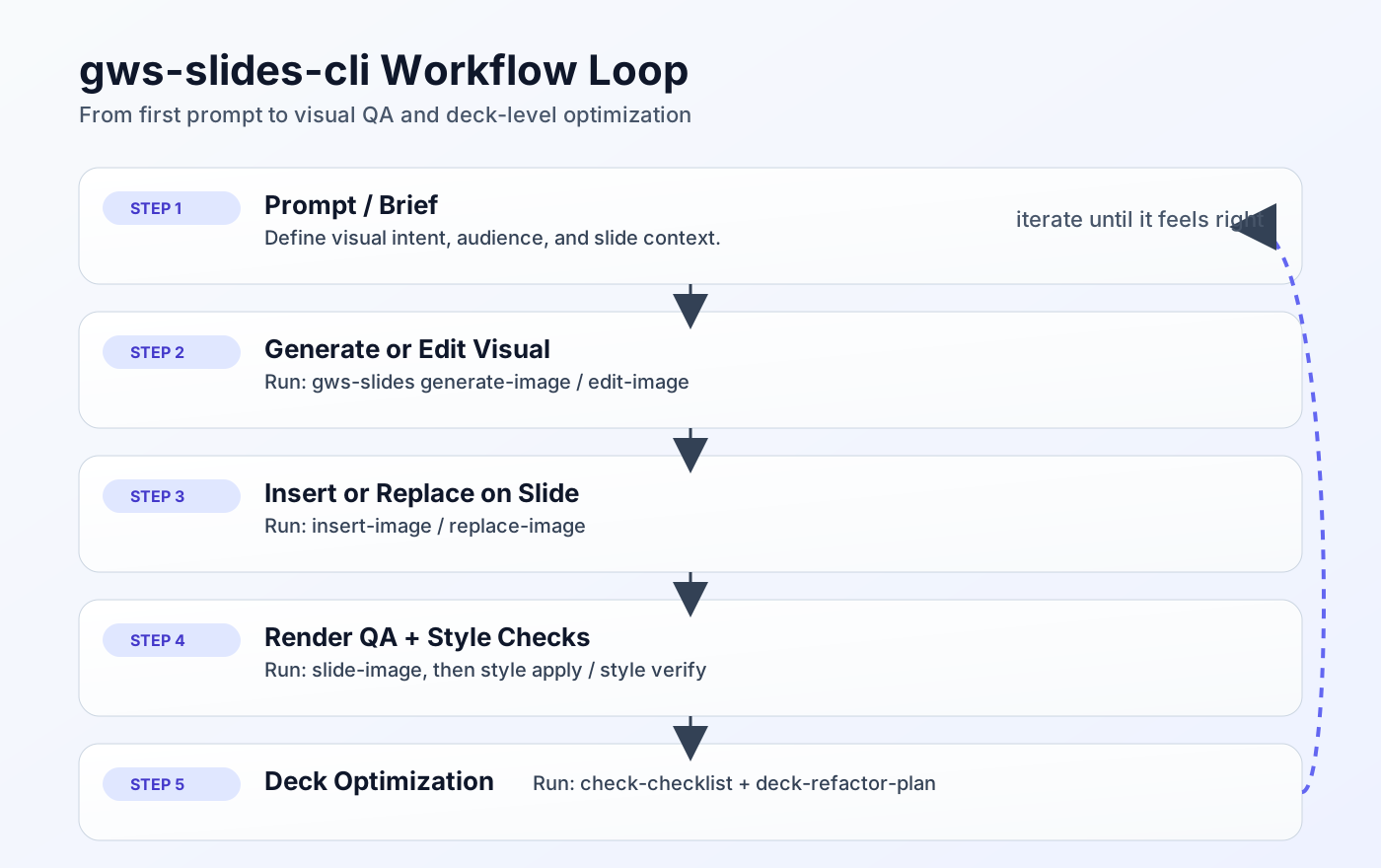
From prompt to deck optimization: the visual loop for repeatable slide production.
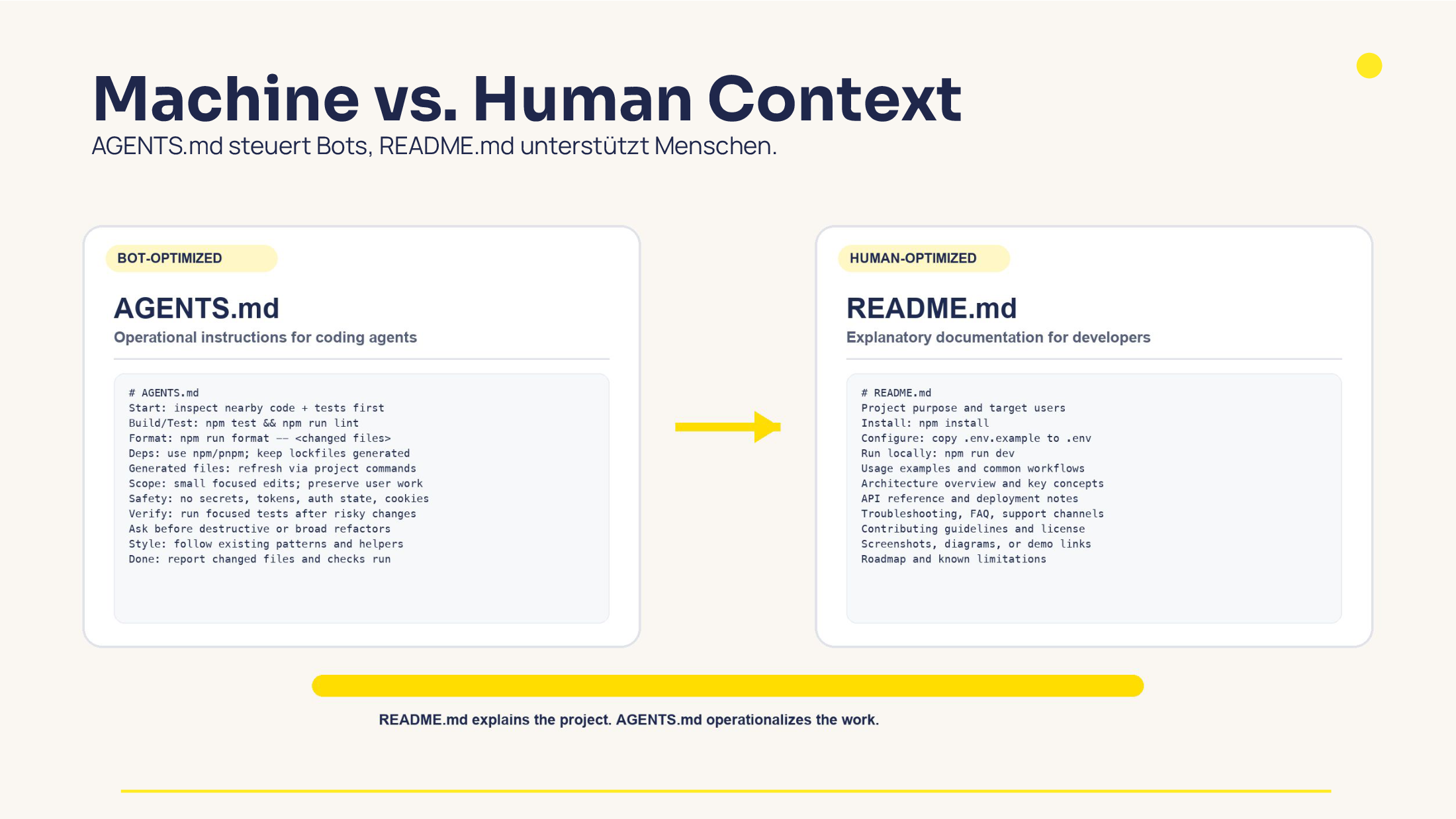
Visual: Machine vs. Human Context as an example of agent-oriented documentation structure.
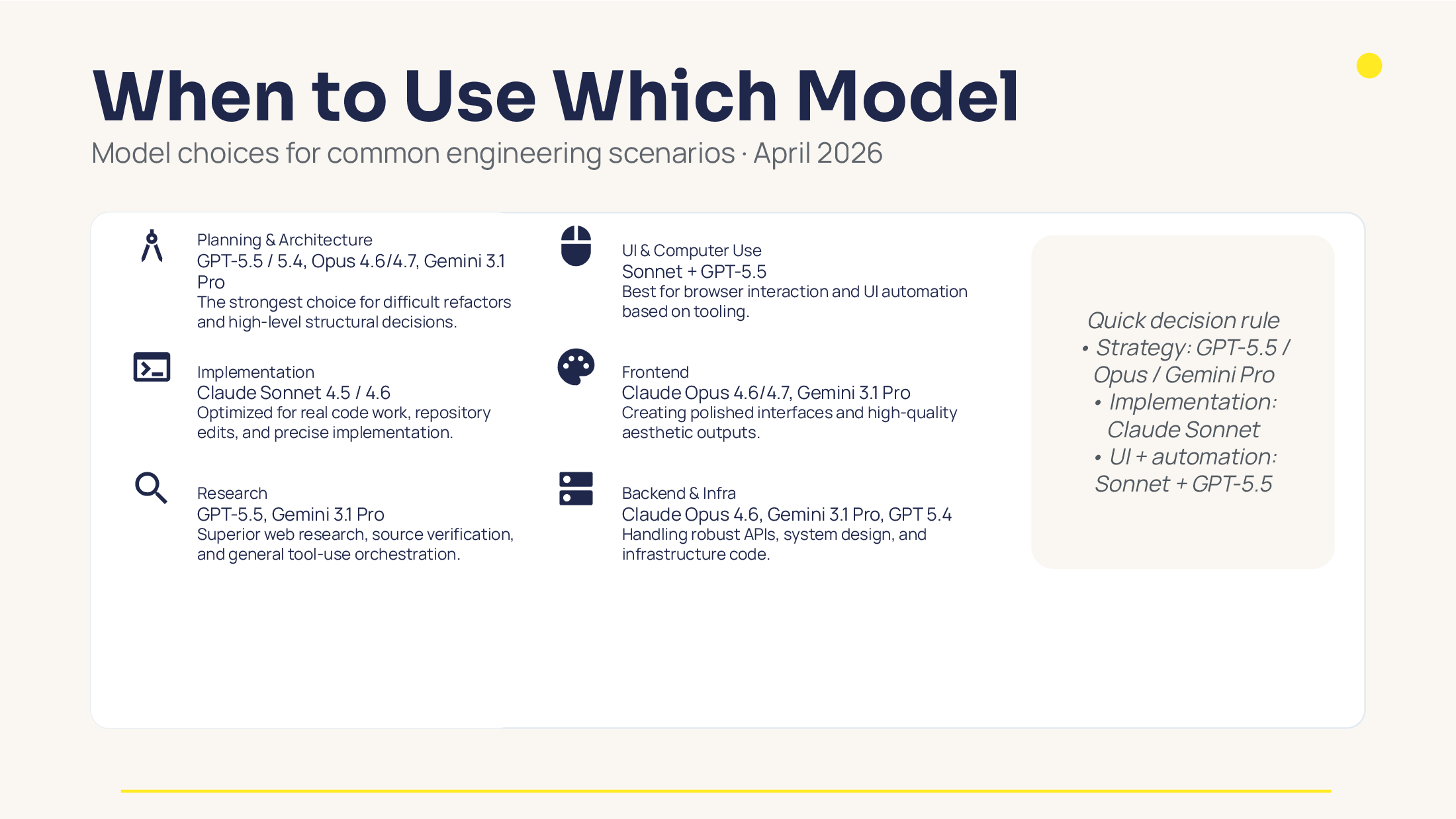
Slide 8: model-class selection patterns for different engineering tasks.
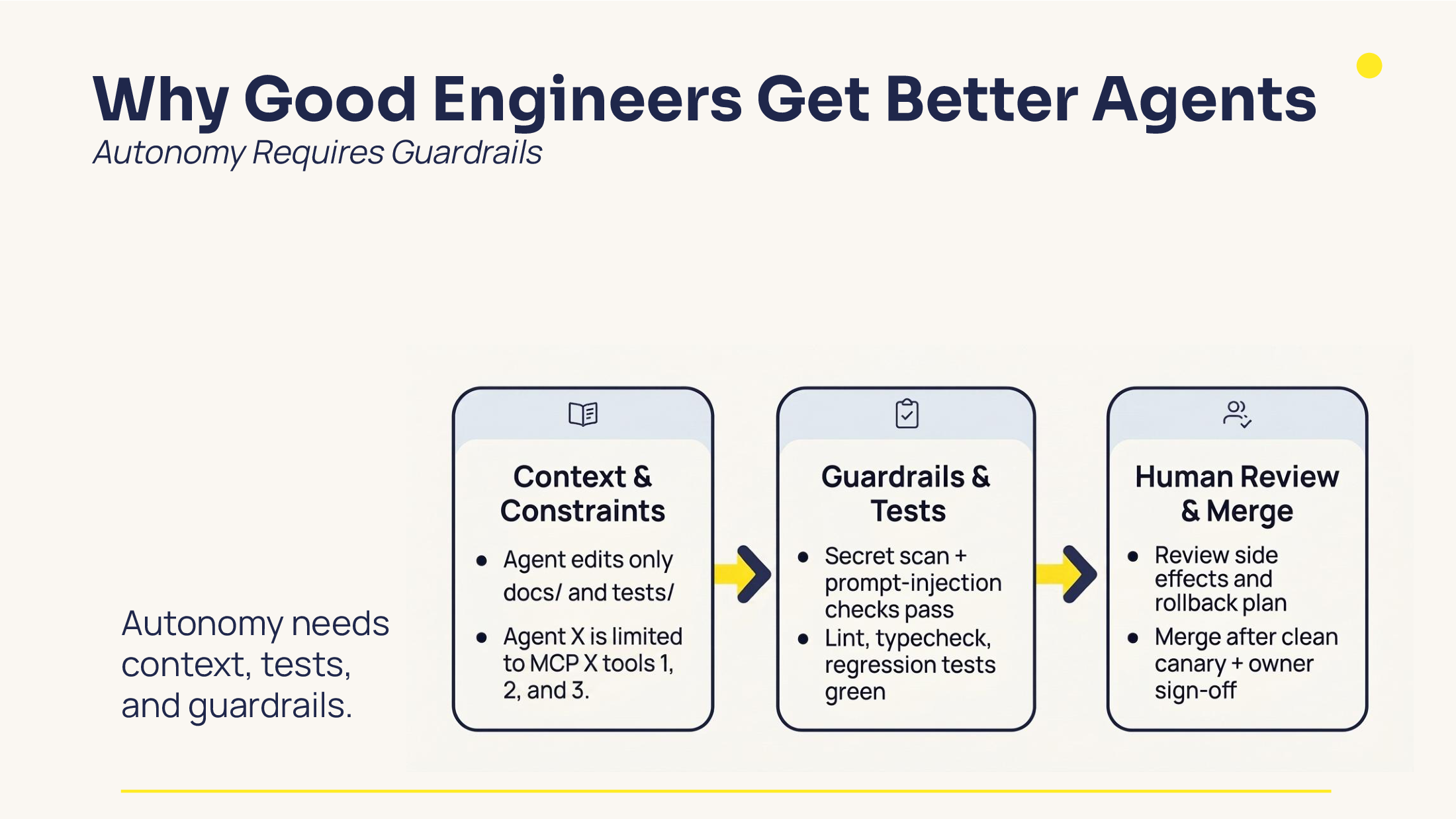
Slide 13: guardrails and controlled agent autonomy.
My main takeaway Link zu Überschrift
The biggest improvement was not a single feature. It was the shift from “a script that kind of works” to a clear command surface with guardrails.
That is what made gws-slides-cli fast enough for rapid iteration and stable enough for repeatable production workflows.
Links: